Understanding AusAlert and the national test

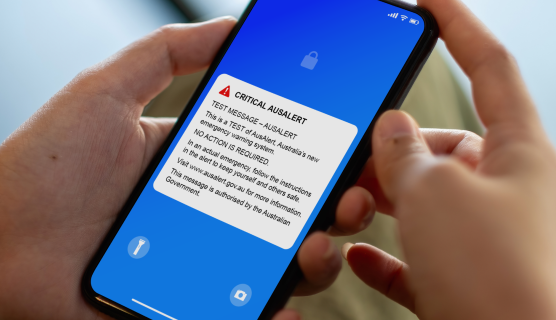
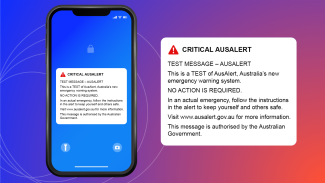
Image with blue-purple-red gradient background and a smartphone with the Critical AusAlert test on the screen.
On this page

Understanding AusAlert and the national test

Image with blue-purple-red gradient background and a smartphone with the Critical AusAlert test on the screen.
Written
  • News
  • Response
  • Resilience and risk reduction

In October, we’re launching a new national emergency warning system, AusAlert.

AusAlert will help inform Australians about local and national disasters. It will allow authorities to reach people fast so Australians can act quickly to protect lives and property.

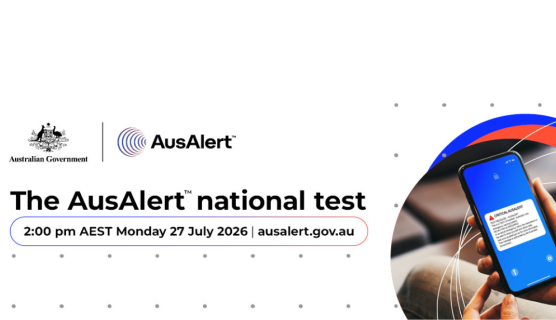
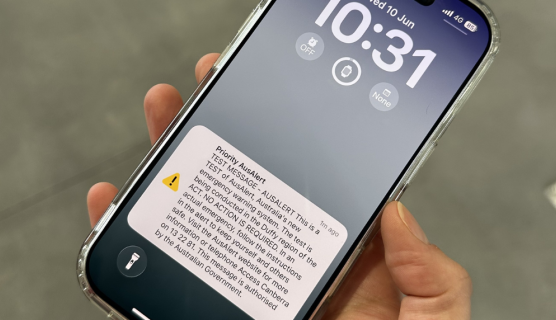
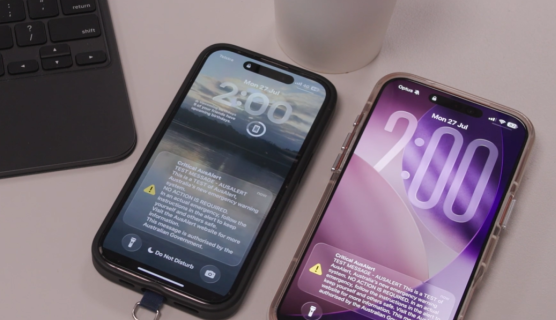
In June, we successfully tested the AusAlert system in 9 communities across Australia. On Monday 27 July, we’ll take the next step – testing the system nationally – at around 2:00 pm AEST, with a test Critical Alert sent at the same time to all compatible devices across the country.

We recently busted some myths about AusAlert. Now, we’re tackling a few more.

Read on to learn what AusAlert is, how it works and what it means for you.
Fact: AusAlert works on many devices

Myth: Only the newest devices can receive AusAlerts

AusAlerts work on many mobile phones, tablets and smart watches. Compatible devices don’t need a working SIM card to receive alerts.

AusAlerts are expected to work on:  

  • iPhones 11 and up running iOS 26.4 or later
  • Apple Watch SE2, SE3, Series 6 and up running watchOS 26.4 or later
  • Android devices running Android 12 or later.

Older phones and phones that don’t use iOS or Android may still receive AusAlerts.

Apple iPads will not receive AusAlerts. 

Fact: Updating your device software helps you to be AusAlert ready

Myth: You don’t need to update your device to receive AusAlerts.

Make sure your devices are AusAlert ready. Always install the latest software updates on your device when asked so you’re ready to receive AusAlerts. Be sure to restart your device after updating. If you haven’t updated for a while, why not do it today?

Fact: You can receive AusAlerts no matter what carrier you’re with

Myth: You can only receive AusAlerts sent by your telecommunications provider.

AusAlert uses cell-broadcast technology over active 4G and 5G mobile networks. It is designed to be carrier-agnostic – so you can receive alerts regardless of your telecommunications provider (e.g. Telstra, Optus, Vodafone etc). If your device is compatible and can connect to a network, you can receive AusAlerts even without a working SIM card.

Fact: We’re testing how the AusAlert system works with assistive technology

Myth: AusAlert won’t work with assistive technologies

We’ve been testing to see how AusAlert works with assistive technology like cochlear implants, hearing aids and refreshable braille displays. Results have been varied – some assistive technologies work well with cell-broadcast alerts in certain configurations, while others demonstrate inconsistent behaviour. This could be because of the age or type of assistive technology.

An AusAlert may:

  • wake your screen, vibrate and display a message about the emergency
  • make a loud siren-like sound which might be heard through compatible hearing aids or cochlear implants
  • read the message aloud if text-to-speech is set on your mobile device  
  • work with other assistive technologies such as refreshable braille displays and screen magnification tools.

Testing is ongoing and feedback from users of assistive technology is valuable. If you’ve experienced issues receiving cell-broadcast alerts through your assistive technology, please report this via our website feedback form.

To stay safe, we strongly recommend using multiple channels for emergency information.

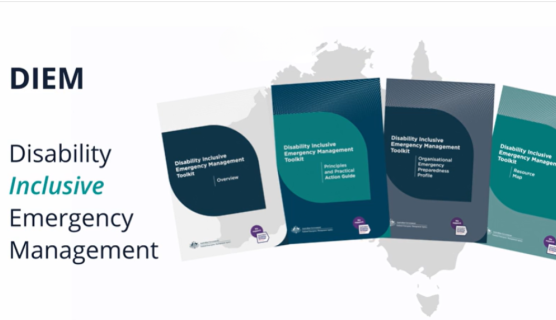
People living with disability can find tailored information and resources on our website.

Fact: You can find dedicated information and resources about the AusAlert system and the national test at ausalert.gov.au

Myth: There is no tailored information for me or my community about AusAlert or the national test

We’ve developed a range of resources for communities in the lead-up to the AusAlert national test. Information has been translated into 20 languages, including Auslan.

On the AusAlert website, you’ll find tailored information and resources for:

There is also information about staying safe with AusAlert with advice on what to do if you or someone you know could feel unsafe from the siren alert.

AusAlert is designed to help keep people informed when it matters most. To get ready for the national test, check your device is up to date and visit ausalert.gov.au for more information, including tailored resources for you and your community.